TacTile
Problem
People in the Blind and Visually-Impaired Community struggle to navigate and need a solution that assists with navigating crowded and unfamiliar environments independently.
Solution
An app paired with a replaceable white cane tip that reads RFID-enabled pavements to provide navigational information for an independent wayfinding experience throughout campuses.
TacTile
Spring 2021 (10 Weeks)
UX Studio I
This project was interesting because our target user group is specifically blind people. The high contrast of blue on yellow might hurt to look at for non-impaired eyes, but it's that same contrast that allows blind users to see it at all. A common refrain was "this looks bad... but it's not for us". It was challenging to recalibrate our visual design senses around that vastly different set of values, but it was necessary to provide an experience for blind and visually impaired people.
TacTile
Spring 2021 (10 Weeks)
UX Studio I
This project was interesting because our target user group is specifically blind people. The high contrast of blue on yellow might hurt to look at for non-impaired eyes, but it's that same contrast that allows blind users to see it at all. A common refrain was "this looks bad... but it's not for us". It was challenging to recalibrate our visual design senses around that vastly different set of values, but it was necessary to provide an experience for blind and visually impaired people.
Problem
People in the Blind and Visually-Impaired Community struggle to navigate and need a solution that assists with navigating crowded and unfamiliar environments independently.
Solution
An app paired with a replaceable white cane tip that reads RFID-enabled pavements to provide navigational information for an independent wayfinding experience throughout campuses.
UI Designer
I designed the visual and interactive experience of using the product to spark delight.
UX Engineer
I wired, tested, and developed physical and digital prototypes to test hypotheses and enable rapid iteration.
User Tester
I designed and executed user tests for rapid feedback and iteration on hypotheses.
Gold
Apps
Indigo
Silver
Apps for Social Change
Indigo
Silver
Interaction Design for Social Change
Indigo
An app paired with a special white cane tip that reads RFID-enabled pavement, providing precise navigational information for an independent wayfinding experience throughout campuses.
Guide
Wayfinding with Chroma, your voice assistant, keeping you aware of your surroundings and upcoming obstacles.
Customize
Personalized onboarding tailors text size, color, and voice pace to your visual abilities.
Explore
Free exploration without a destination, still narrating the world around you.
Onboarding that adapts to you
Chroma (our AI Voice User Interface) learns your name, vision level, text size, color preference, and voice pace, then walks you through pairing your cane tip.
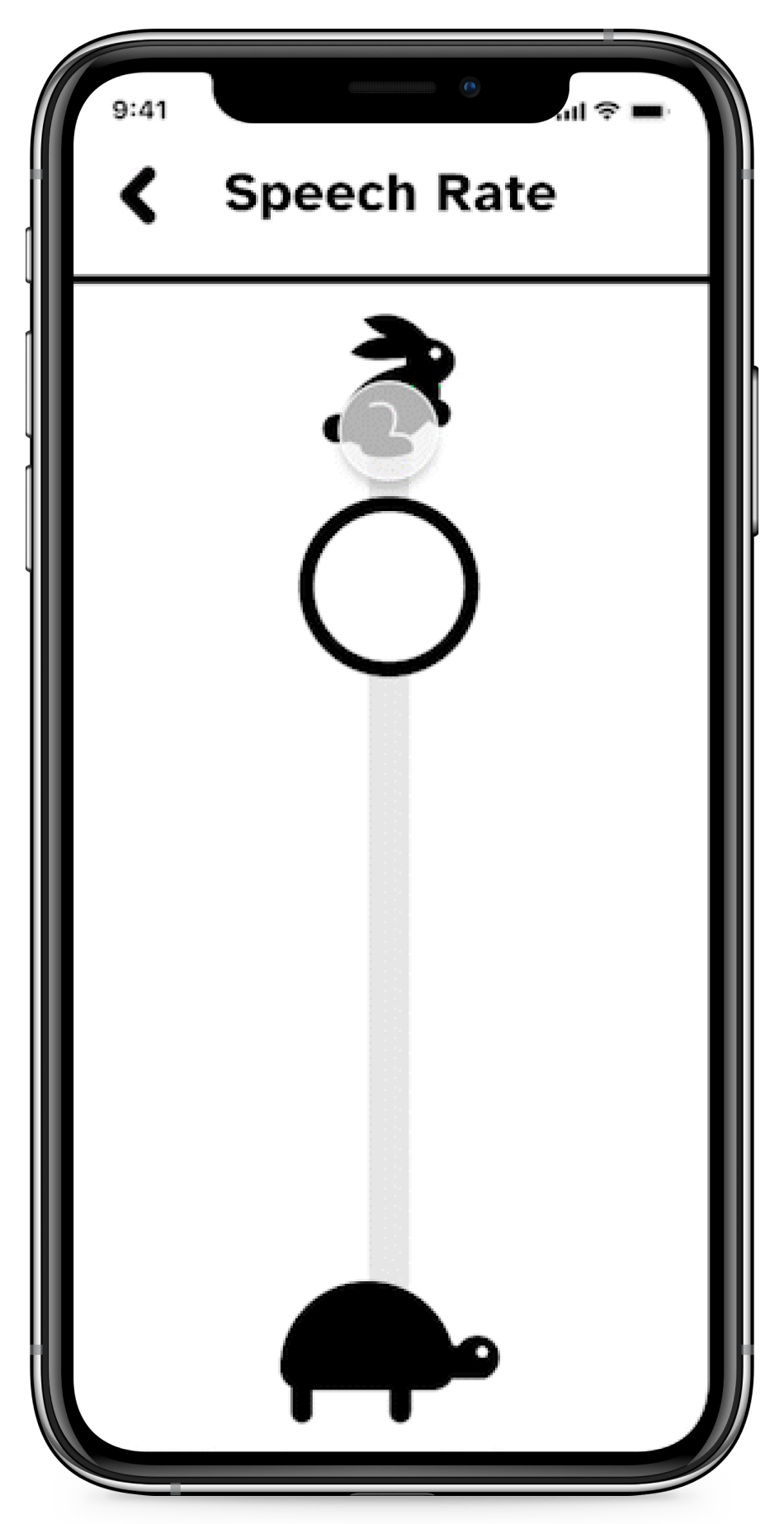
Adjusting speech rate in the onboarding flow
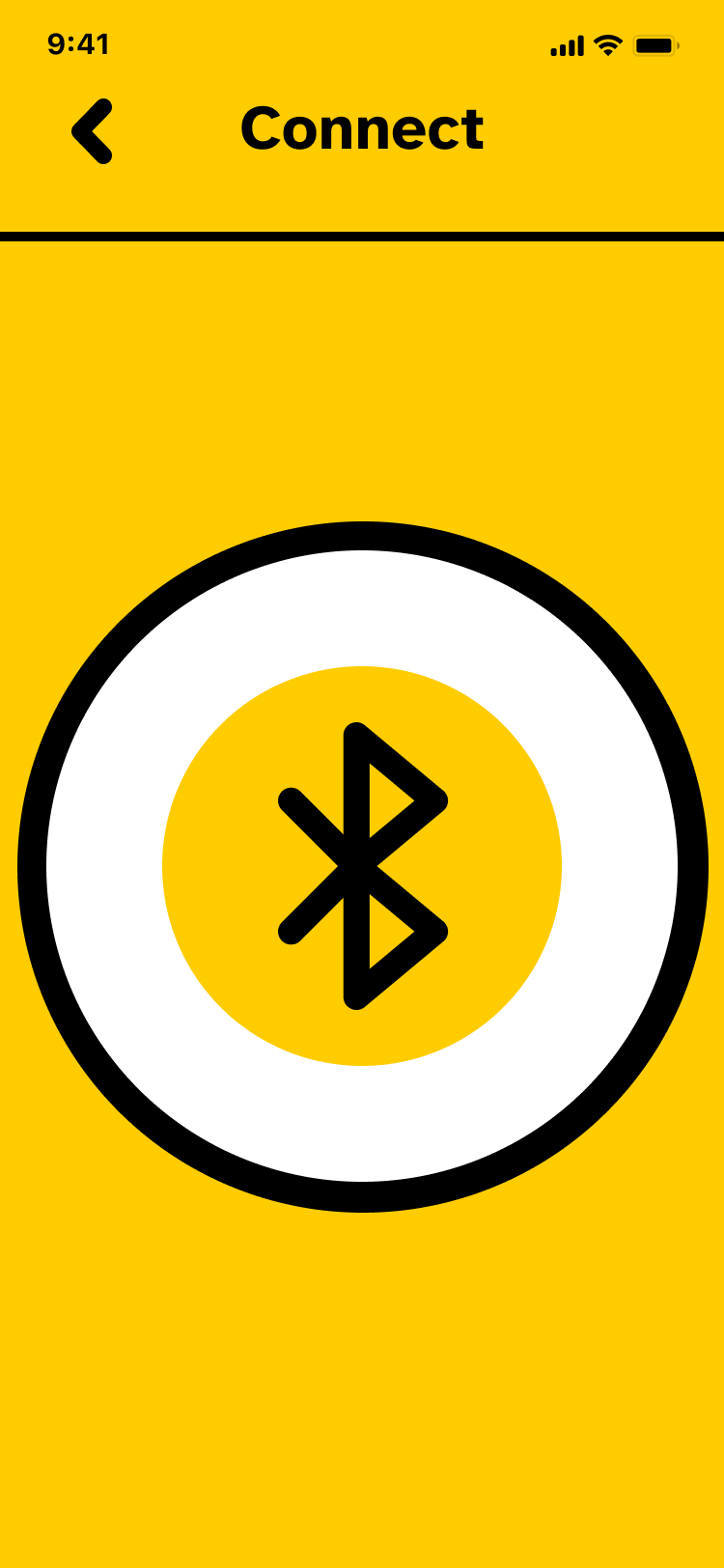
Big bold colors guide the user to pair their cane with the app
Search and wayfind
Find a destination and follow step-by-step, clock-referenced directions with alerts for staircases, traffic lights, dead ends, and intersections.
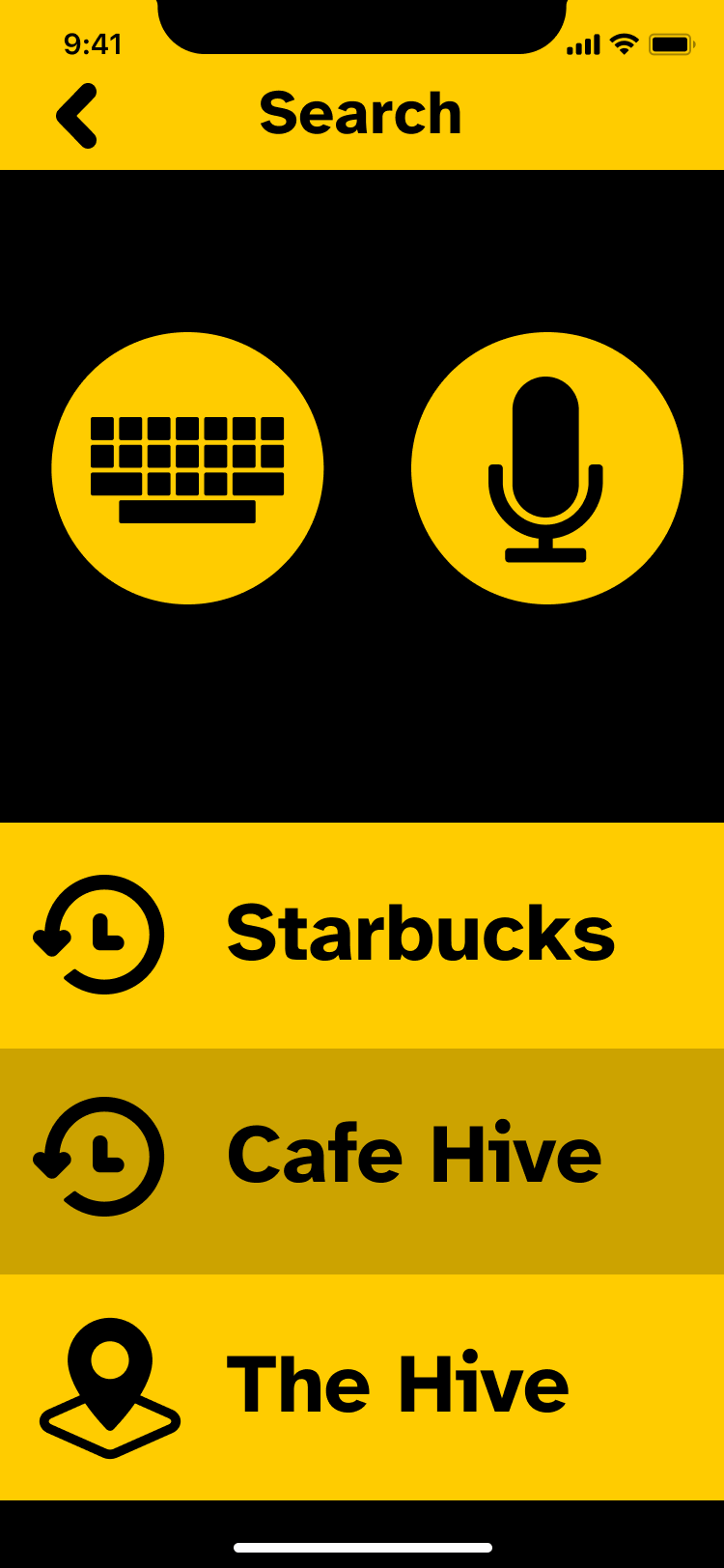
Primary search page
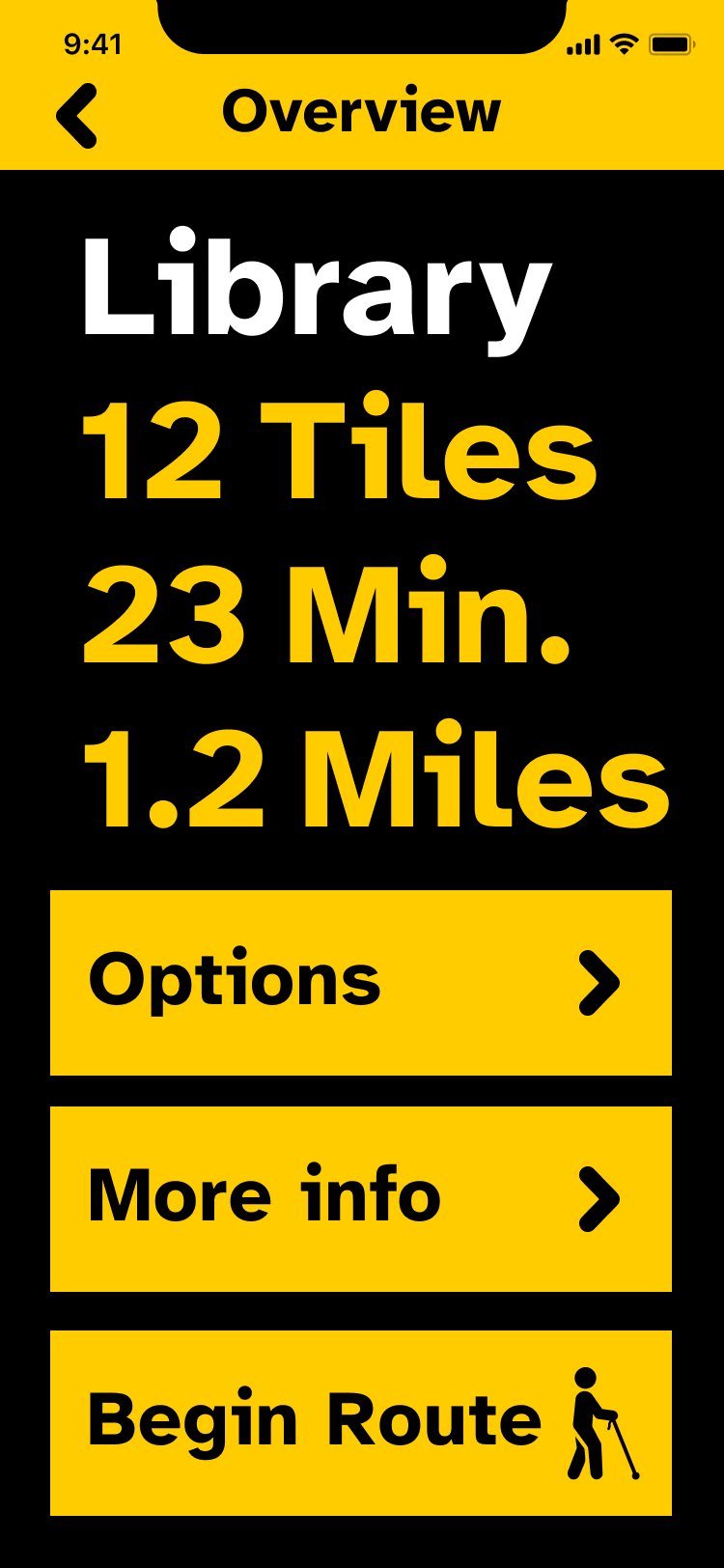
Route details
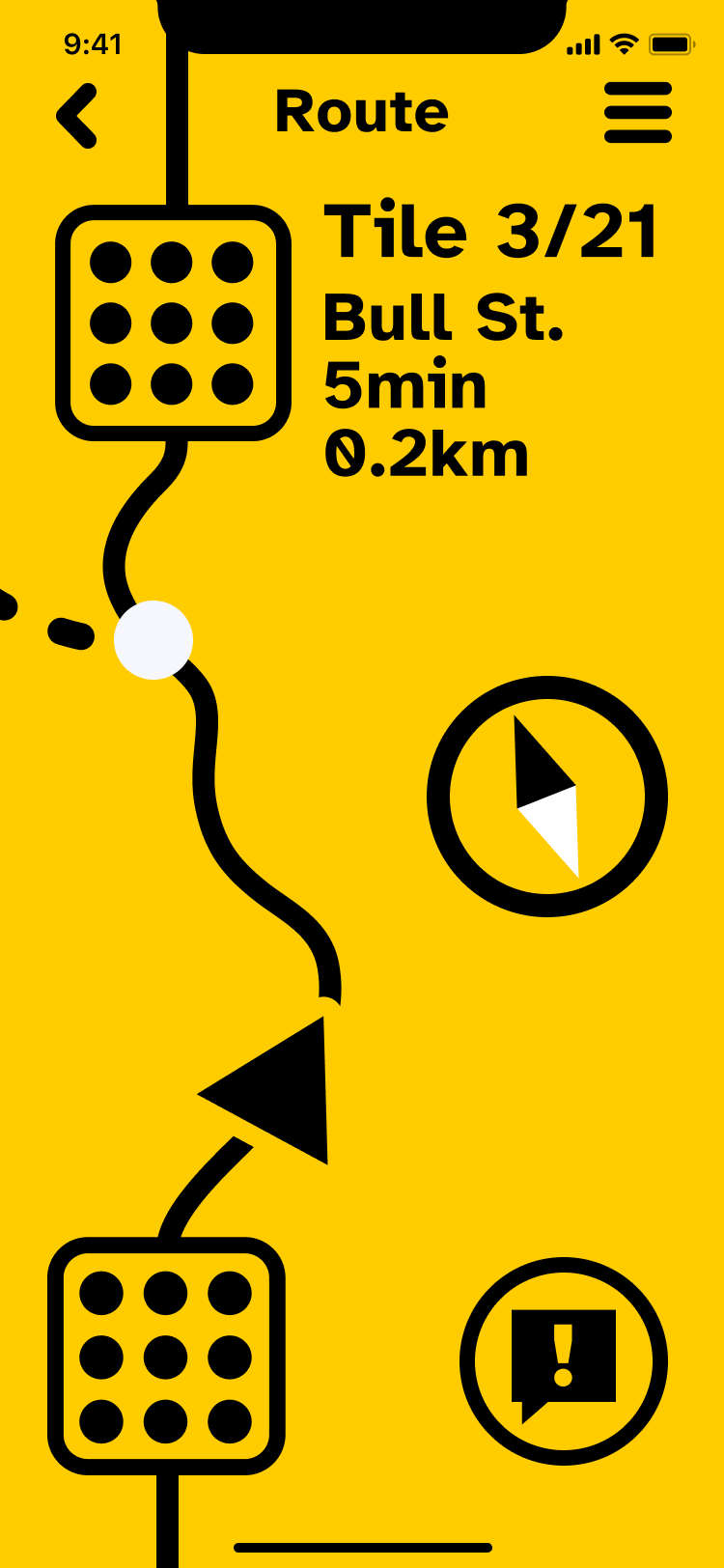
Navigation view
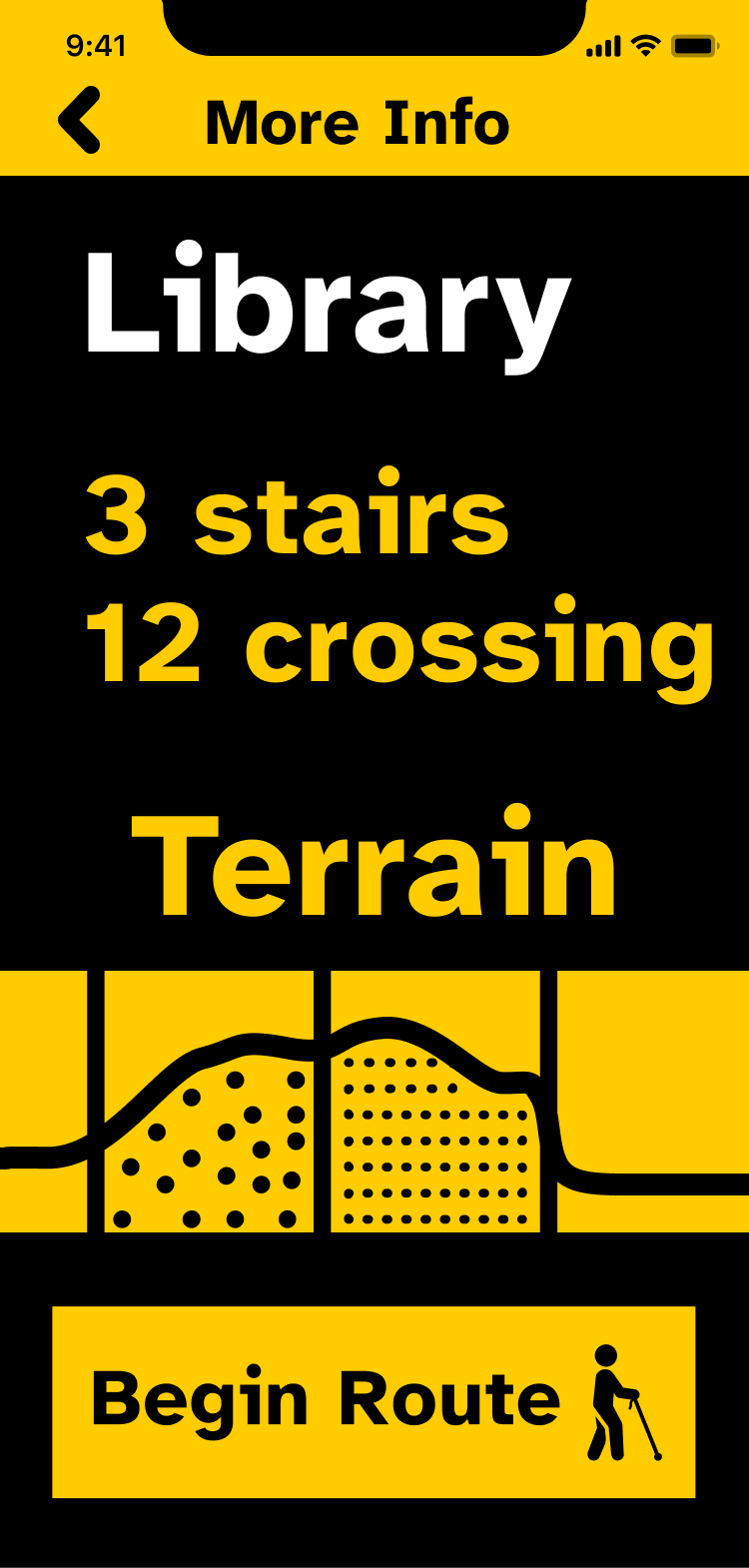
Sonification page with elevation, grade, and ground texture information. As you run your finger across the terrain graph, it plays a tone to indicate elevation and puts gaps in the tone based on the roughness of terrain.
Explore freely
Move without a set destination and still hear about the world around you as you go.
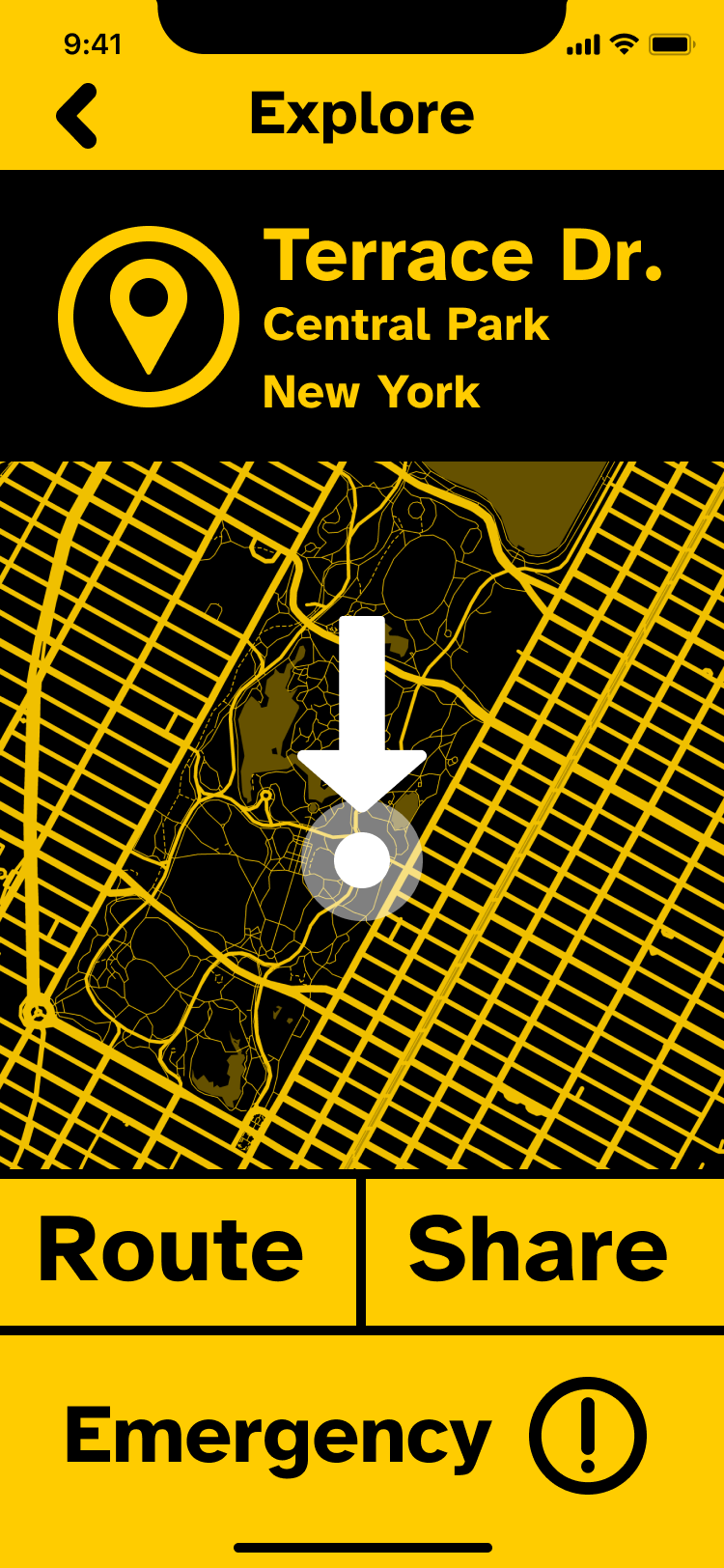
Explore screen
You can see clearly now
High-contrast black and yellow, adjustable type, and color-vision modes (Deutan/Protan, Tritanopia, and custom). Type is set in Atkinson Hyperlegible and Inter.
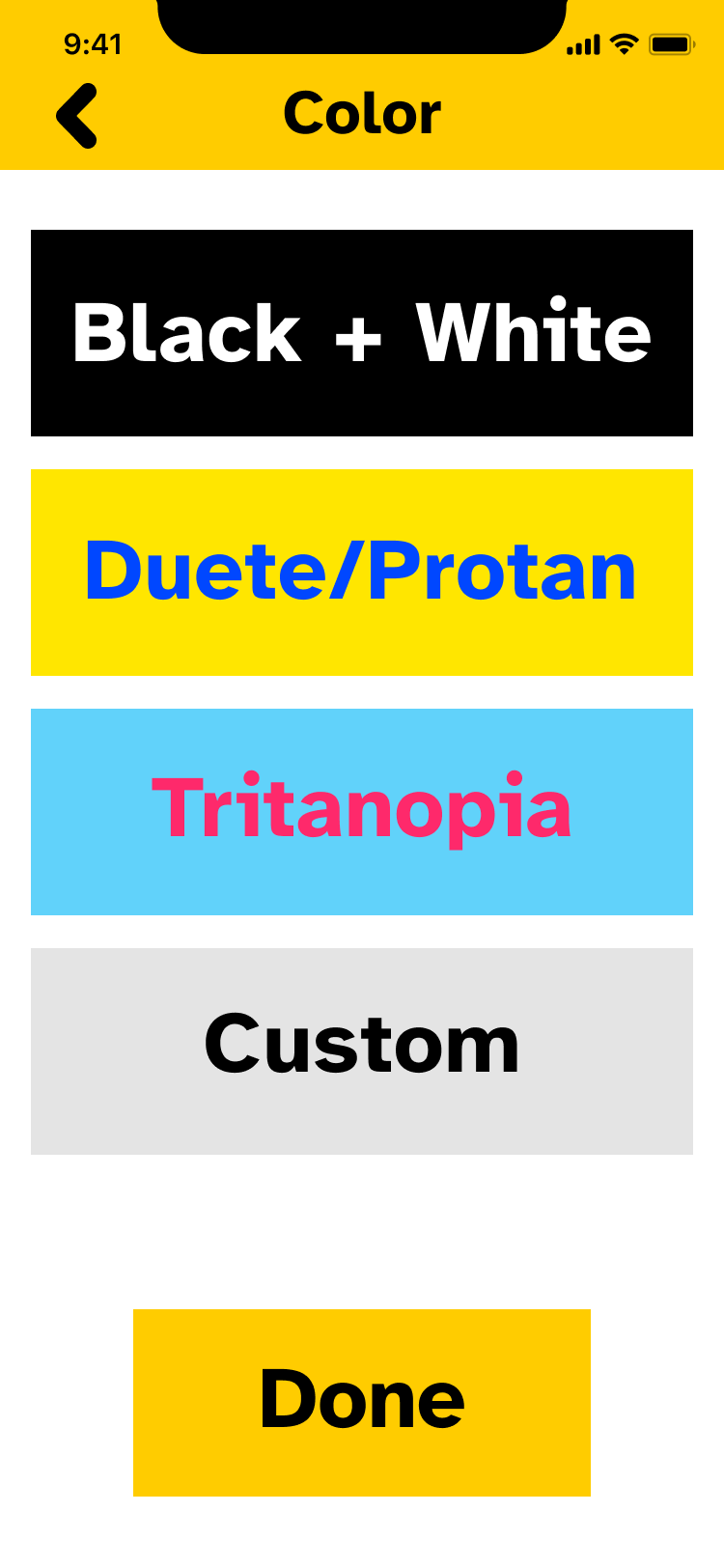
Display and color customization
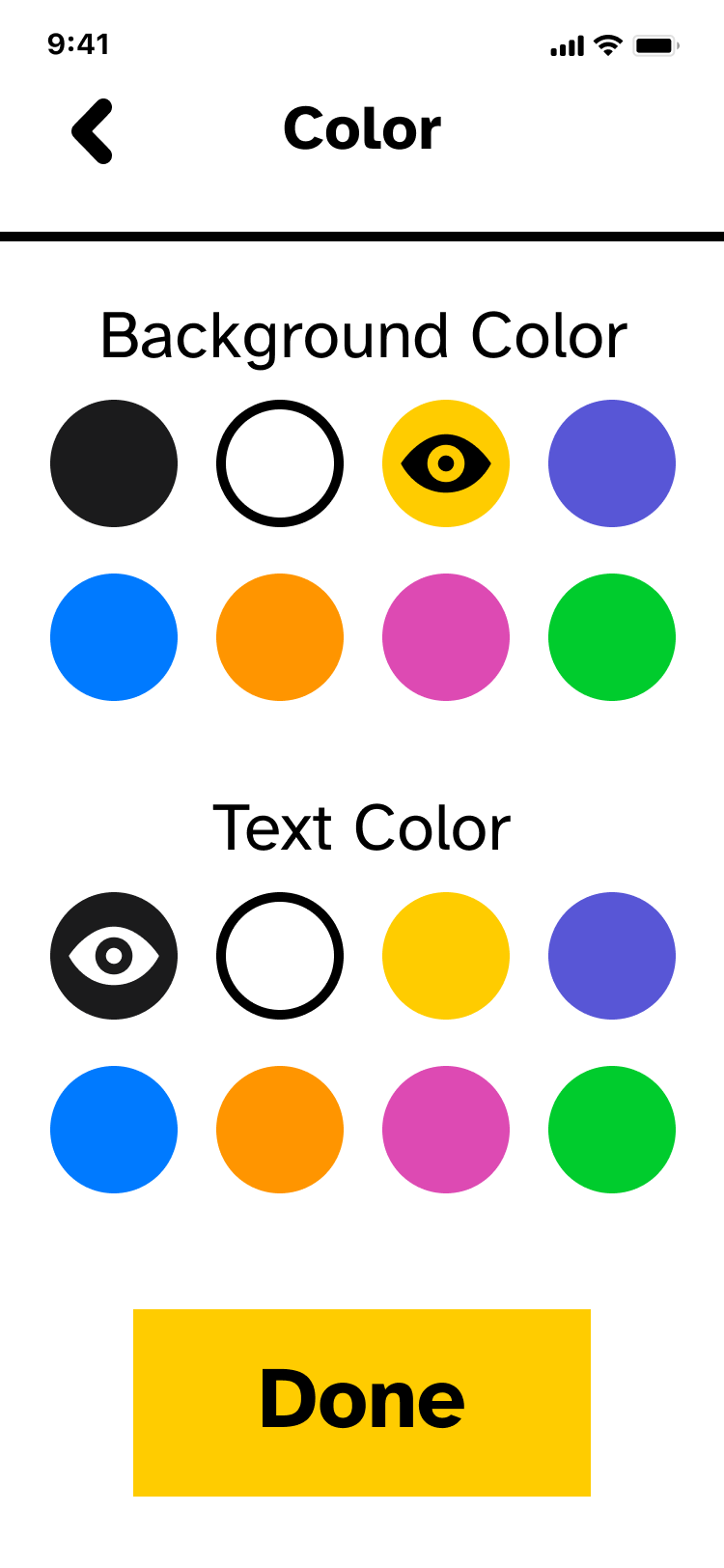
We found most users had strong preferences for fore- and background colors, so we set those during onboarding.
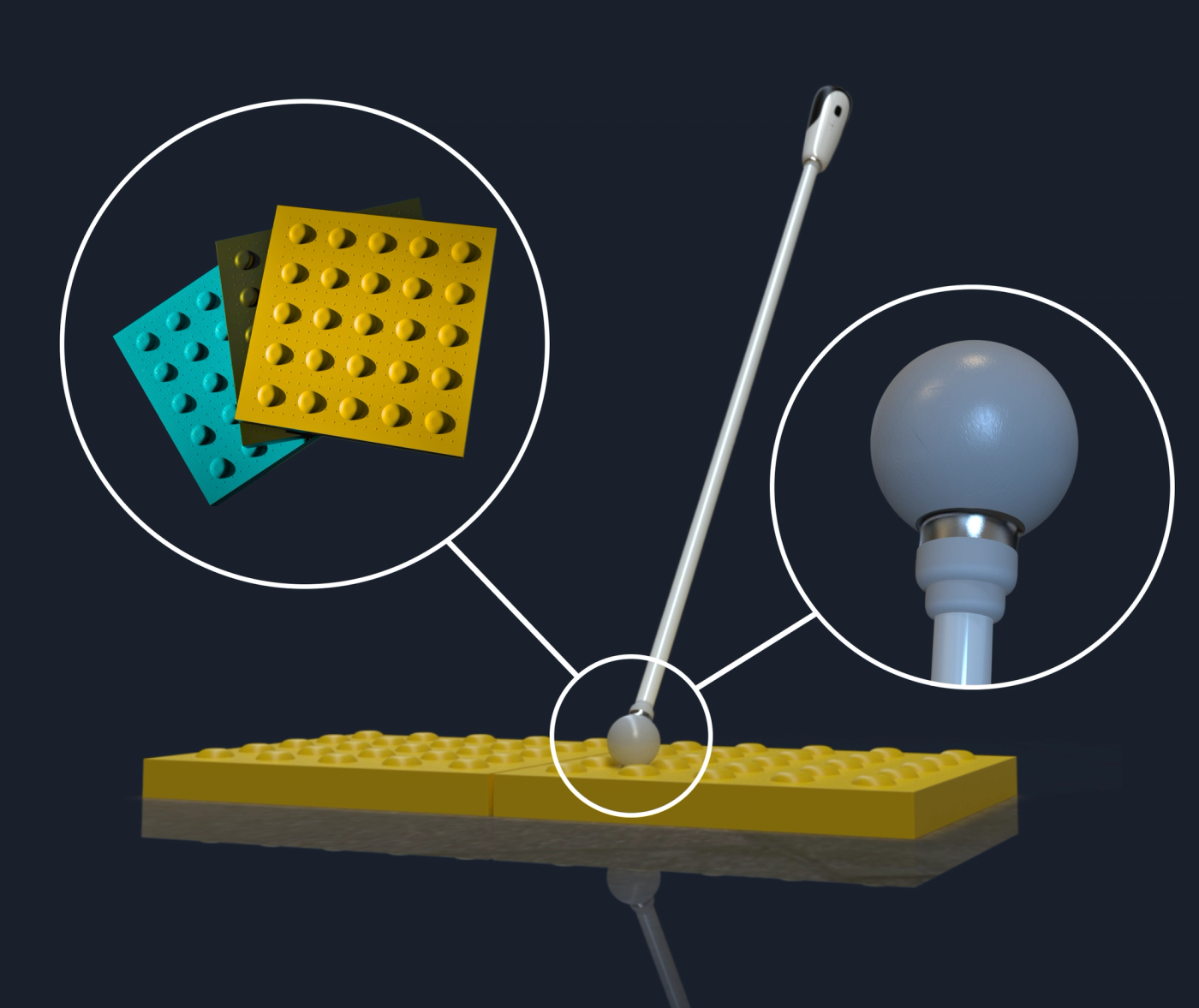
RFID sensor
Reads the UUID embedded in each pavement tile.
Removable rubber ball tip
Easily replaceable; consumable
Smart Tiles
Always on, no batteries needed. Marginally more expensive than existing tiles.
Fingerprint sensor
Ensures route and navigation information remains private
Speaker + Mic
Audio input and output in the event the user doesn't have headphones
Let's define blindness first
Blindness exists on a spectrum of impairment. There are two types: the top row shows definition impairments, while the bottom row shows obstruction impairments. Our solution should work for all of them.

Visual impairment is actually pretty common
Worldwide
300–400M
people are visually impaired
Worldwide
50M+
people are fully blind
Blind people are
34%
less likely to have a job than sighted people
Yet, the world isn't built for them
Our first big clue
The white cane helps people familiarize themselves with an environment through landmarks. But it struggles to detect water or fabric on the floor, can't warn of body-level or head-level obstacles, and makes hazardous terrain hard to avoid. This could be an interesting area to improve.


Sonification
We needed our product to work without any visual output. We found a technique called "sonification" (mapping data to pitch and timing) that allowed us to do just that. For delivery, speakers broadcast private information out loud and headphones cover the ears blind users rely on, so we landed on bone-conduction headphones that vibrate the skull to give auditory stimulus and leave the ears open.
Primary research
8
interviews (7 visually impaired, 1 blind)
12
cultural probe participants
17
sensory cue participants
1
visit to the Savannah Center for the Blind and Low Vision
Sensory Cue workshop
We "blinded" sighted participants with goggles and observed them as they tried to identify common household objects without using vision.

We clustered every observation by sticky-note color. Six themes surfaced: navigation, technology, transitioning, the public, independence, and connection and community.
894
data points
206
clusters
64
topics
25
insights
What the community told us
We mapped dozens of concepts on a feasibility-versus-usefulness matrix, from braille printers and guide drones to shoe sensors and RFID-tagged pavement, before narrowing to the ideas with the most promise.

Our final two concepts
We developed these concepts to get higher fidelity solution feedback

Seecon — indoor beacons that notice when furniture or obstacles move, working with smart-home platforms to ding when something's out of place as you enter a room.

TacTile — RFID tags embedded in tactile paving, read by a sensor on the user's cane, feeding navigation and spatial information back to the user.
We chose TacTile: replacing tactile paving with RFID that the white cane reads, giving the user navigation and spatial information along their route.


Lo-fi
13
Wizard-of-Oz, USE, and A/B testers
Mid-fi
7
Wizard-of-Oz and USE testers
Hi-fi
9
VUI, BVI, and expert testers
User Quotes
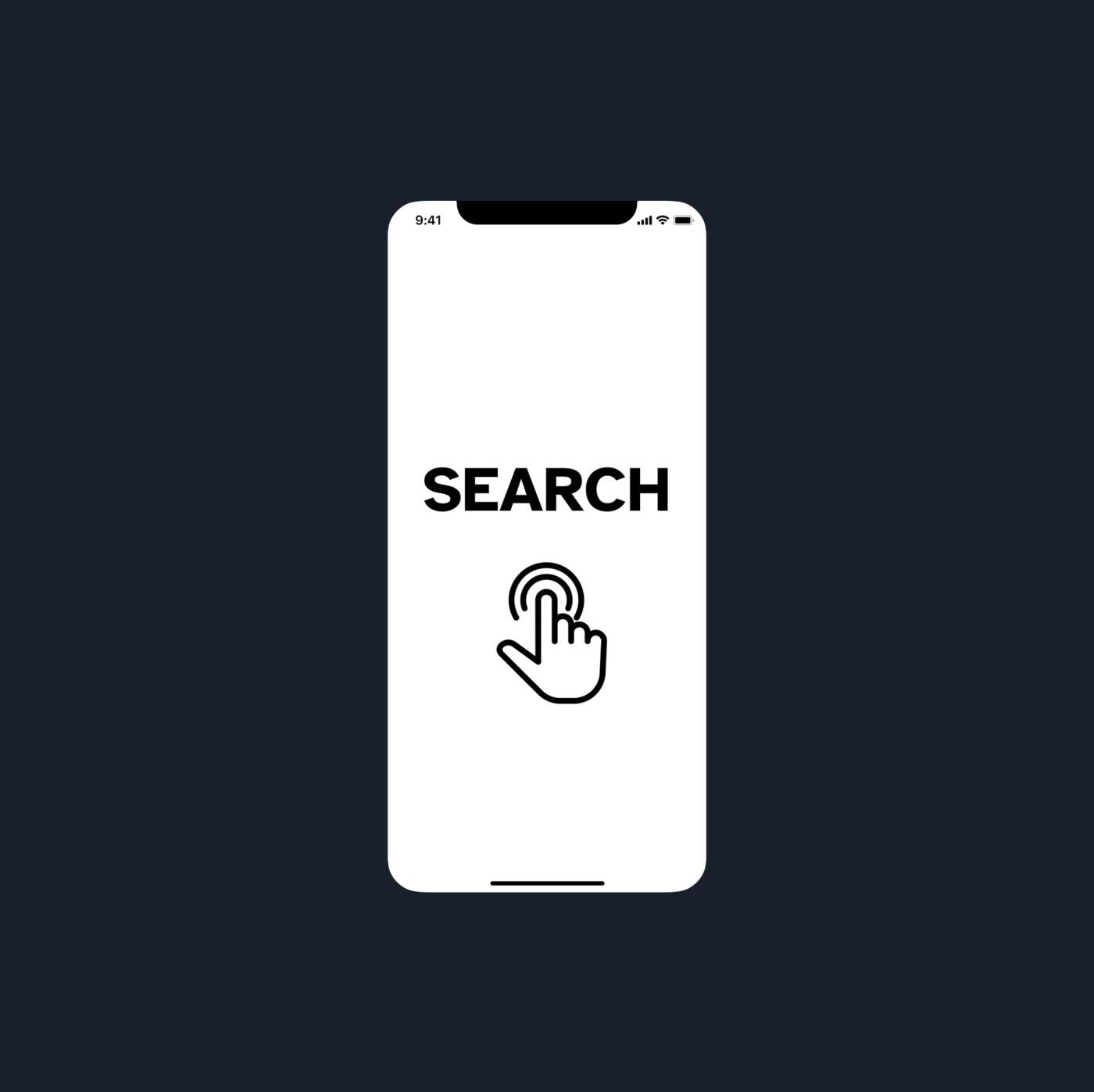
Positive
Good type size
Negative
Needs pagination indicator
Negative
Needs some kind of global navigation
Negative
Unclear how to get out of home page
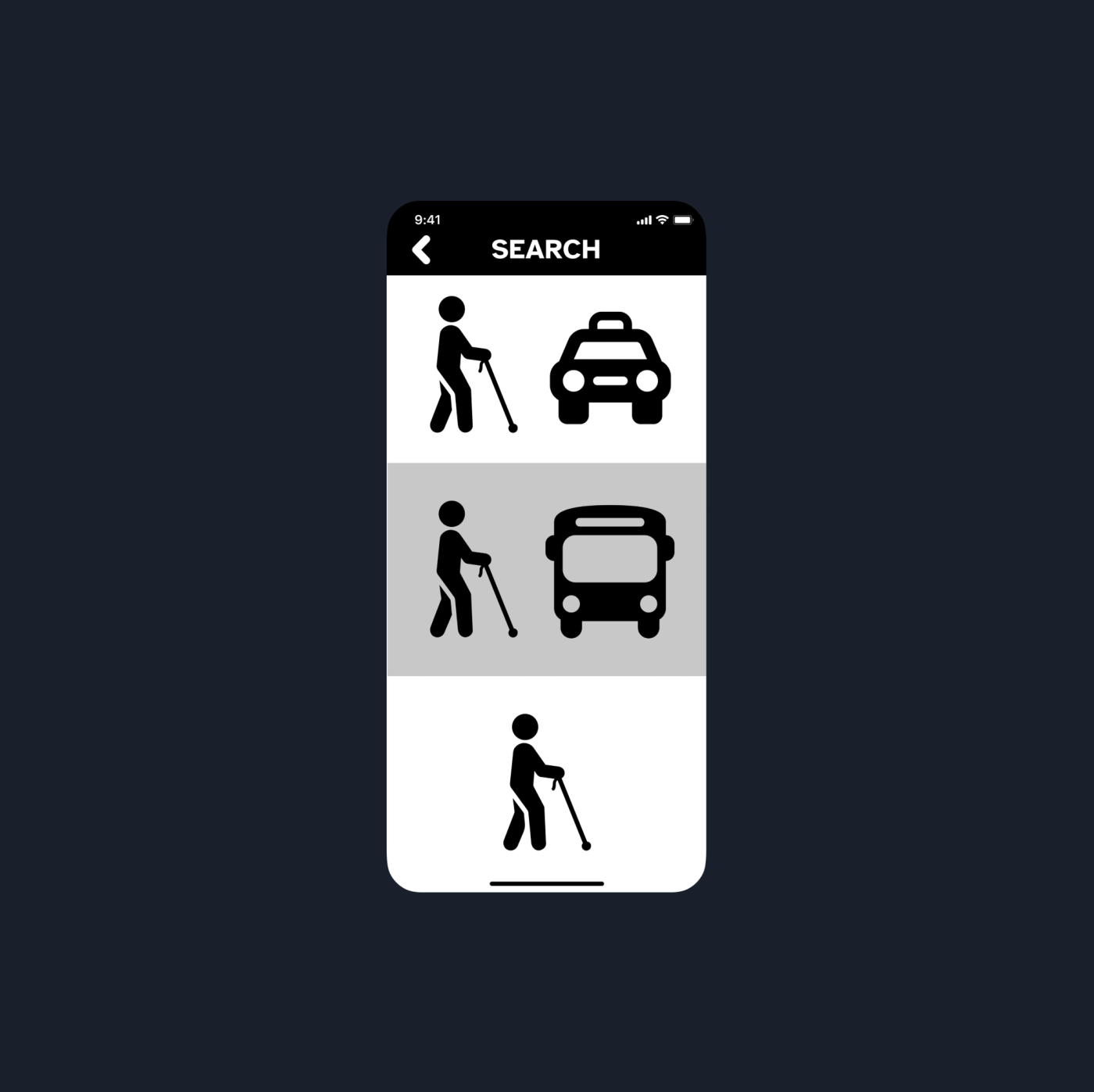
Negative
Walking needs to be prioritized
Positive
Icons are clear
Positive
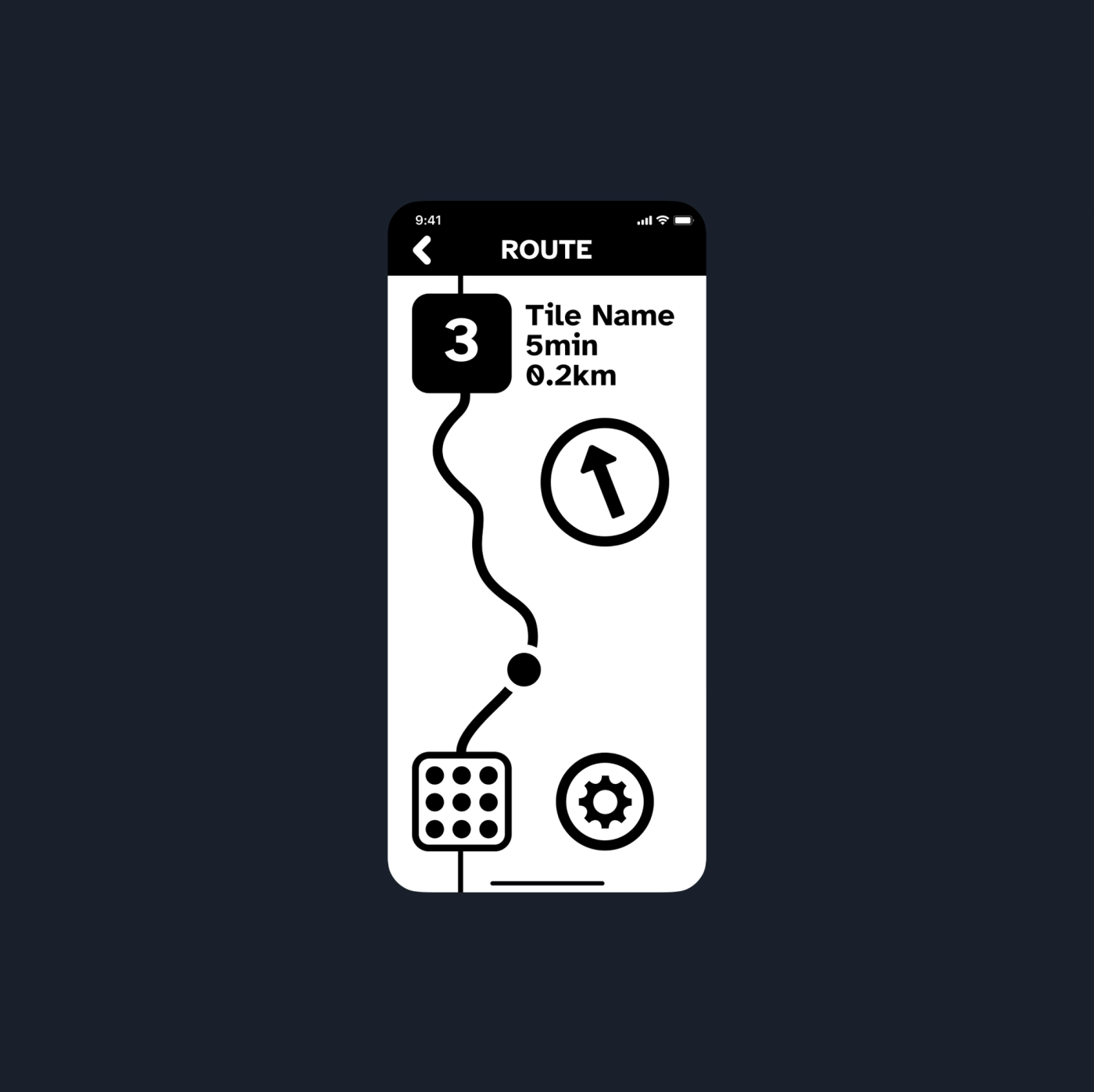
Route line is clear and easily understood
Negative
Doesn't communicate "emergency" well
Cane Improvements

Our original idea was an omnidirectional-wheeled 'Omnicane' with a sensor to talk to the RFID pavement.

We moved to a standard white cane with a replaceable rubber ball tip that holds the RFID sensor and added mic input, audio output, and a fingerprint sensor.
Round 1 told us users wanted simple, streamlined information with the option of landmarks or general directions, and more precision throughout. When things went awry, they wanted a panic button to contact help, and restroom navigation was a surprisingly big pain point.
After a few more rounds, we were able to develop a significantly more robust experience, and even had an expert look over our concept.

More quotes
Lots of testing
We did cane-based testing by blinding sighted people and having them walk through an unfamiliar environment.

Expert review
Recognition
Gold
Apps
Indigo · 2022
Silver
Apps for Social Change
Indigo · 2022
Silver
Interaction Design for Social Change
Indigo · 2022
Gold
Interactive Design
Indigo · 2022